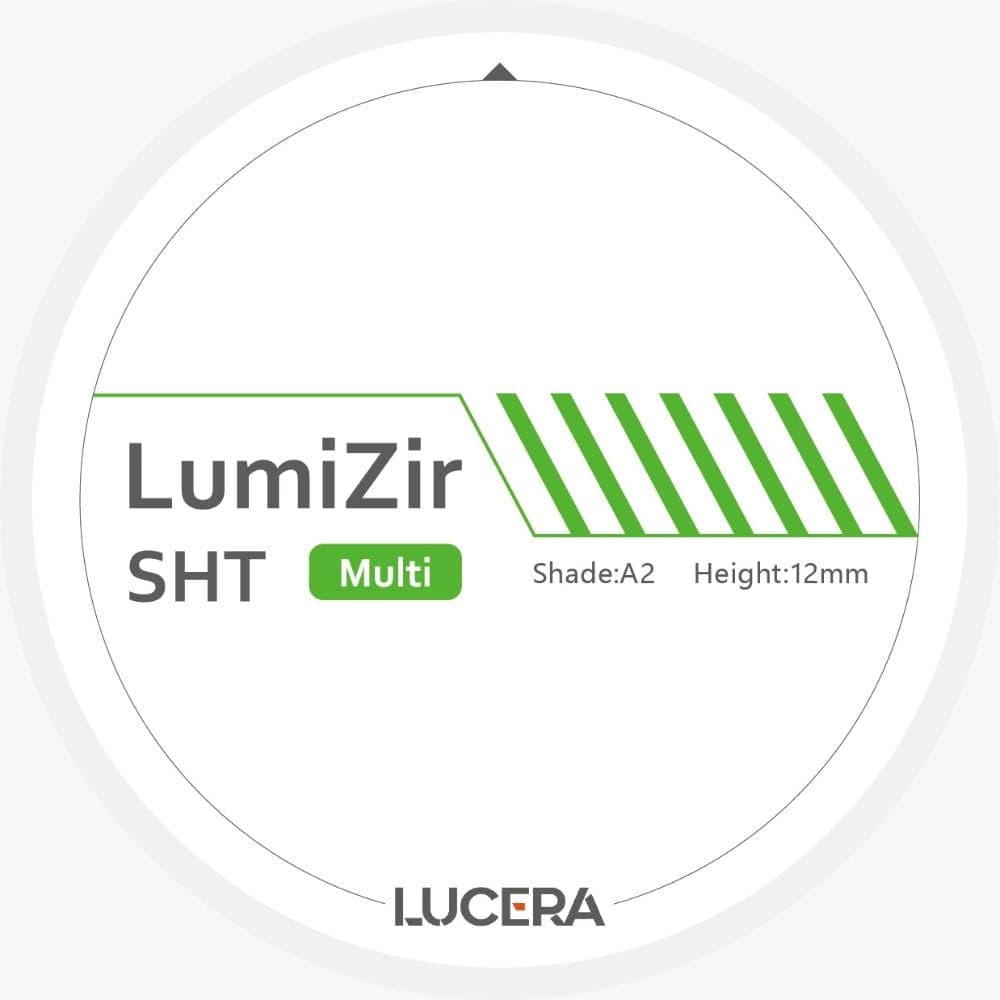
The enlargement factor, also called the shrinkage factor, compensates for zirconia's shrinkage during sintering: it is printed on the box and engraved on the disc, and it must be entered in the CAD or CAM software before milling. For the zirconia discs distributed by Dentev, it ranges from 1.220 to 1.260, with a precision of plus or minus 0.002, specific to each batch, according to the manufacturer's instructions. In exocad, it is entered batch by batch when registering the disc in the disc library; in 3Shape Dental System, it most often arrives already built into the manufacturer's material library, imported as a .dme file.
Where is the enlargement factor of a zirconia disc found?
The factor is not a generic value for the zirconia range, it changes from one batch to the next. According to the instructions from the manufacturer of the discs distributed by Dentev, it ranges from 1.220 to 1.260, with a precision of plus or minus 0.002, and is printed on the box of each batch; Dentev also provides the batch sheet by QR code on the delivery note. This practice is not specific to one supplier: the instructions for GC Initial Zirconia Disk Multilayer Elite, manufactured by pritidenta GmbH and distributed by GC Europe, state that each blank is marked with the specific shrinkage factor to be applied. Those for Zubler USA's 3:45 Zirconia disc likewise state that the shrinkage factor can be found on the disc and/or on the box of the material. Before any design work, the value must be read from the box or disc of the batch currently being milled, never relied on from memory of a previous batch. The zirconia discs in the Dentev catalog, across all ranges, are stated as compatible with exocad, 3Shape and DentalCAD according to their product sheet, which does not remove the need for this check on every box.
How is the enlargement factor entered in exocad?
exocad manages this parameter in its Material Blank Library module, accessible from the ExoCAM nesting module. To register a new disc, the user opens the block registration menu, enters the block ID and its batch number, then enters, using a slider or an entry box, the Scale factor and the Shrink percentage factor specific to that batch. The accept button adds the disc to the list of available blanks, and the "Accept and Use" option places it directly in the 3D nesting window for the current piece. Because this setting is tied to the batch number entered, the operation must be repeated for every new box, even for the same zirconia reference.
How does 3Shape handle the enlargement factor?
The approach differs. 3Shape Dental System generally receives material parameters, including the enlargement factor, as a library supplied by the manufacturer: a .dme file, imported from the control panel, Tools menu, then Import/Export, "Import materials" button. The factor is therefore not re-entered manually piece by piece as in exocad, but built into the imported library. The practical consequence is that a lab working with a generic material library, or a library older than the current batch, must check that the built-in value matches the one printed on the box of the batch in use, and request an updated library or a specific .dme file from the supplier if it does not.
What is the risk with a wrong enlargement factor?
A factor that is too low results in a milled piece that, after the actual sintering shrinkage, comes out smaller than the preparation: it does not fully seat or leaves a marginal gap. A factor that is too high produces the opposite effect, a piece that stays too large and does not fit without adjustment, with a risk of excessive thinning if the fit is forced by grinding. Both defects can only be corrected by milling a new disc with the right value, never by adapting the already-sintered piece beyond the planned finishing. For the zirconia discs distributed by Dentev, the manufacturer's instructions sum up the risk in one sentence: "a factor error results in a piece that does not fit".
Does the factor need checking with every new box?
Yes. The precision of plus or minus 0.002 stated in the Dentev discs' instructions shows that the factor varies slightly from one production run to the next, even within the same reference and shade. The GC Initial and Zubler instructions confirm this logic by marking the factor on each disc rather than only on the range's generic packaging. The check takes a few seconds when opening a new box, while an undetected factor error ties up an entire piece, furnace time included, for a result that cannot be used.
- Enlargement factor of Dentev zirconia discs: 1.220 to 1.260, precision of plus or minus 0.002, specific to each batch (instructions from the manufacturer of the discs distributed by Dentev)
- Where the factor is stated: printed on the batch box, also provided on the Dentev batch sheet accessible by QR code on the delivery note (instructions from the manufacturer of the discs distributed by Dentev)
- Per-disc marking at GC Initial: each blank is marked with the specific shrinkage factor to be applied (GC Initial Zirconia Disk Multilayer Elite instructions, pritidenta GmbH, printed 4 October 2024)
- Per-disc marking at Zubler: the factor can be found on the disc and/or on the box of the material (3:45 Zirconia instructions, Zubler USA, September 2022 revision)
- Fields for entering the factor in exocad Material Blank Library: batch number, Scale factor, Shrink percentage factor (wiki.exocad.com, Material Blank Library page, checked October 2026)
- How 3Shape Dental System receives the factor: manufacturer material library imported as a .dme file, Tools menu then Import/Export (support.3shape.com, page checked October 2026)
Sources
Instructions from the manufacturer of the zirconia discs distributed by Dentev, summarized in internal sintering documentation (CE marking, notified body 1639, EN ISO 6872 standard).
"GC Initial Zirconia Disk Multilayer Elite", instructions for use, pritidenta GmbH / GC Europe N.V., reference REF 469 Rev 000, printed 4 October 2024.
"3:45 Zirconia IFU (Instruction for Use)", Zubler USA, September 2022 revision (Rev. Zubler 2H).
"Material Blank Library", wiki.exocad.com, page checked October 2026.
"Exporting and importing .dme files into Dental System", support.3shape.com, article updated 6 November 2023, checked October 2026.